
IgLou's cPanel web-hosting servers allow you to easily change the PHP version for your hosting account, or even for a specific directory. To change the PHP version for your account, look for one of the following icons in your hosting control panel:


Click on the icon, and on the next screen you should see a selection box at the top that allows you to change the desired version of PHP:
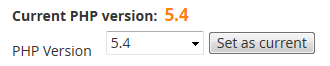
Once you hit "Set as current", the new version of PHP will be enabled for your entire hosting account.